By Manan Bhatia, Founder · Updated Oct 2026
Canva digital business card vs an NFC card
You can make a free Canva digital business card by designing a card and sharing it as a link, or by pointing a QR code at a Linktree page. An NFC card adds tap-to-share, contact saving, and lead capture.
The design route is a real option. It is also a different product from a card with a chip. Checked Oct 2026 on Canva’s and Linktree’s own pages.
How to do it with Canva and Linktree
These steps follow Canva’s business card maker. Canva says the maker is free to use, with nothing to install.
- Open a business card template, or start from a blank card.
- Add your name, title, company, phone, email, and website. Upload a logo if you have one.
- Create a Linktree page and add the links you want people to open. The free plan includes unlimited links and basic analytics.
- In Canva, open Apps, search for QR Code Generator, paste the Linktree URL, and place the static code on the design.
- Share the design as a view-only link, or publish it as a website from Share, then More, then Website. Print it only if you still want paper in hand.
If the QR code points at your Linktree URL, you can change the links on that page without reprinting the code. The phone number printed on the design itself still needs a new file when it changes.
What to put on the design
Keep the printed side short. Name, title, one phone number, one email, and either a short URL or the QR code. A booking link and a portfolio belong on the Linktree page, where you have room.
Canva saves the design in your account, so a new title is an edit of the file. People who already hold a printed copy still see the old number until you hand them a new one. That is the gap a live profile closes.
What the other person does
With the design and the link
They scan the code or open the view-only link. They land on a page of buttons. They tap the ones they want, such as your site or your calendar.
Nothing in Canva’s steps puts your number into their contacts. They can still type it from the design if it is printed there.
With an Innovnet card
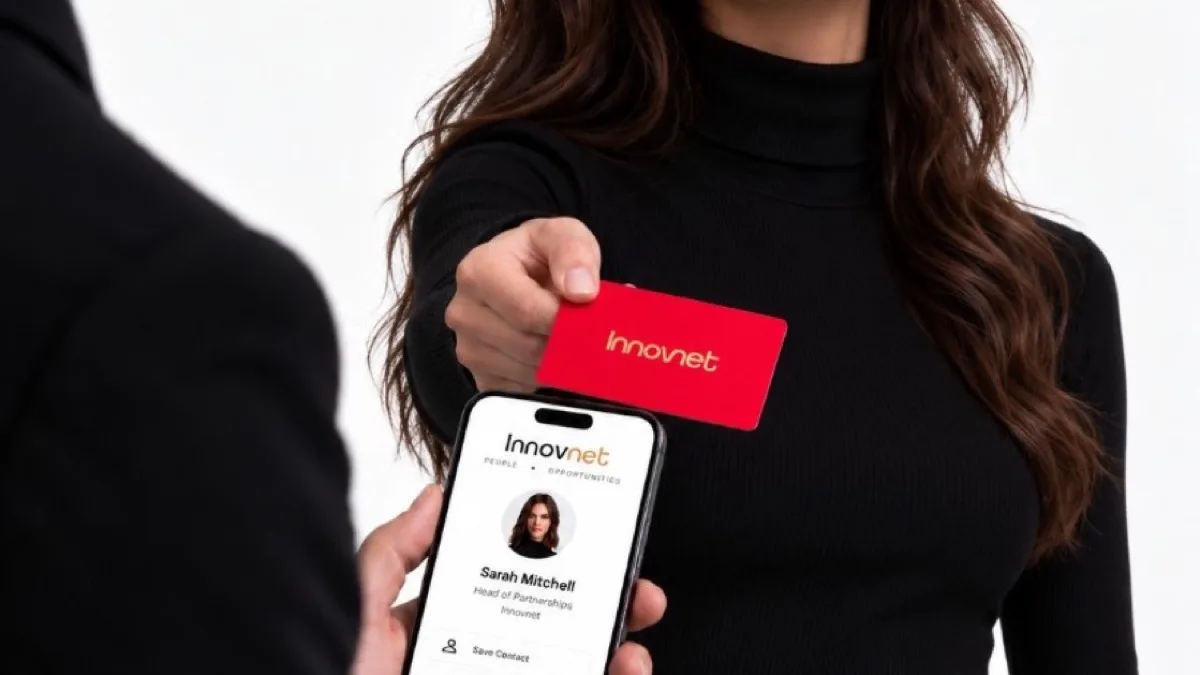
A tap or a scan opens the profile in the phone browser. They save your name, number, email, and links. On Basic they can send their details back.
The same profile is on the Apple Wallet pass. English and French are both supported. Data is hosted in Canada.
Where that setup falls short
No tap
The other person scans a code or opens a link. There is no NFC chip in a Canva file.
No contact save in the steps
Canva’s published steps end at a view-only link or a website. They do not describe saving a contact into the phone.
Lead tools are split by plan
Linktree’s help center says audience-form sync to Mailchimp, Klaviyo, Kit, or Google Sheets is on Pro and Premium. Linktree paid features.
A static QR is one URL
The QR steps on Canva’s card page create a static code. That code keeps pointing at the URL you entered.
When an NFC card is worth it
You meet people in person
A tap opens the profile in about 2.8 seconds. The other person does not install an app. Every Innovnet card also has a printed QR code.
You want the contact back
Basic includes exchanged contact, so they can send their details to you. Paid plans sync Salesforce, HubSpot, Zoho, Pipedrive, Zapier, and Google Contacts.
Your details change
Edit the live profile. The card stays. Order a new card only if the name or logo printed on it is wrong. Cards start at CA$29.99.
Email and slides are enough
If you rarely hand anything over, the Canva link is enough. You can still follow the same five steps on any platform. See how to make a digital business card.
What it costs in Canada
Innovnet is in Hamilton, Ontario. Basic is $0 CAD. PRO is $9.99 CAD a month or $99.99 CAD a year. A PVC card is CA$29.99 once. Bamboo and walnut are CA$39.99. Metal starts at CA$69.99.
Shipping is $10 CAD anywhere in Canada, with no customs or duties on Canadian orders. Delivery in Canada is 5–9 business days. If you stop paying for PRO, the account moves back to Basic, so the profile and the printed QR code keep working.
Side by side
Canva and Linktree facts are from their sites, checked Oct 2026. Innovnet prices are CAD. Linktree pricing does not publish a dollar amount that is the same in every country, so this table does not invent one.
| Topic | Canva + Linktree | Innovnet NFC card |
|---|---|---|
| Start | Canva’s card maker is free to use. Linktree has a free plan with unlimited links. | Basic is $0 CAD. No card required to share the profile. |
| How you share | View-only link, a published website, or a static QR code. | Tap, printed QR code, or Apple Wallet. |
| Contact save | Canva’s steps describe a link or a website, not saving a contact into the phone. | They save you from the profile. Exchanged contact is on Basic. |
| CRM | Form sync to Mailchimp, Klaviyo, Kit, or Google Sheets is on Pro and Premium. | Salesforce, HubSpot, Zoho, Pipedrive, Zapier, and Google Contacts on paid plans. |
| When details change | Edit the Linktree links. Reprint if the number is printed on the design. | Edit the profile. The card stays unless the printed name or logo is wrong. |
| Card cost | Print is separate. No Canada print price is quoted here. | From CA$29.99 once, plus $10 CAD shipping in Canada. |
CAD prices for the free plan and the card. What a digital business card is if you want the tap, scan, and save steps. NFC cards compared with paper if the other choice is a print run.
Common questions
Can I create a digital business card with Canva?
Yes. Canva’s guide says to start from a template, add your name and contact details, then share the design as a view-only link or publish it as a website. Checked Oct 2026. That link is the card. It does not tap.
Is a Canva digital business card free?
Canva says its business card maker is free to use, including a free QR code generator for a static code. Checked Oct 2026. Printing the design is a separate step. Canva does not publish a Canada print price on that page.
Can I use Linktree as a business card?
You can put your links on a free Linktree page and point a QR code at it. The free plan includes unlimited links and basic analytics. Checked Oct 2026. It is a link page. It is not a tap card.
What does an NFC card add?
A tap, a printed QR code on the same card, and a profile people can save. Innovnet Basic is $0 CAD and includes exchanged contact and Apple Wallet. CRM sync is on paid plans, from $9.99 CAD a month.
When is an NFC card worth it?
When you meet people in person and want the contact saved, not only a link opened. One Innovnet card is from CA$29.99. A Canva design plus a link is enough for email and a slide.
Start with a free profile
Innovnet Basic is $0 CAD. Add an NFC card later if you want a tap. Cards ship from Hamilton, Ontario, for $10 CAD.
Make a free digital card